iPhone · iOS 26 or later

See the look
before you shoot.

Preview filters live as you take photos and record video. New in Rayista 2.0, Studio lets you adjust photos and videos from your library and create your own camera looks.

Download

Free to download · iPhone · iOS 26

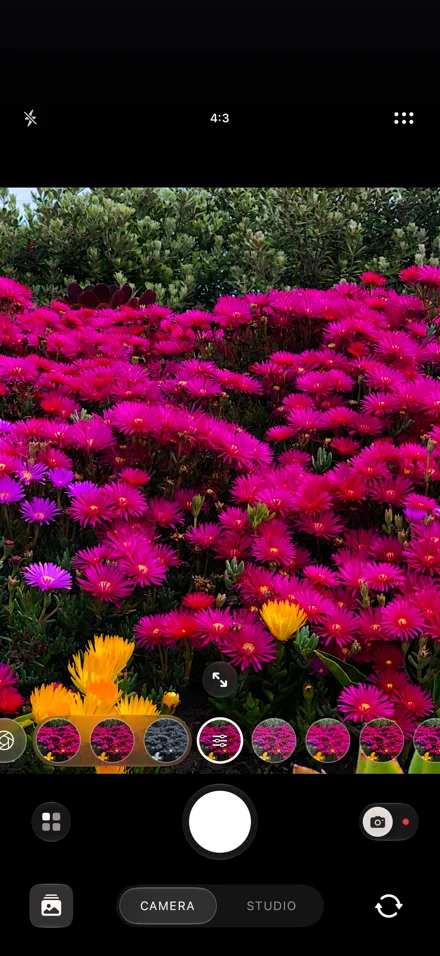
Rayista Camera previewing a look on pink and yellow flowers, with the live look strip and Camera and Studio selector
See Rayista in action
Live camera filters
See the result before you take a photo or record a video.
Photo and video adjustments
Adjust light, color, and texture in Studio.
No account, no ads
Rayista processes photos and videos on your iPhone.

Choose a look.
See it live.

Try film, black and white, VHS, and more while you frame your shot. Adjust the strength of a look before you capture it.

Rayista for iPhone

Photo and video, with your look.

Switch lenses, set focus and exposure, and choose your photo format. Record video with sound when microphone access is enabled. Pause and resume a recording, or take a still photo while it continues.

Read the setup guide
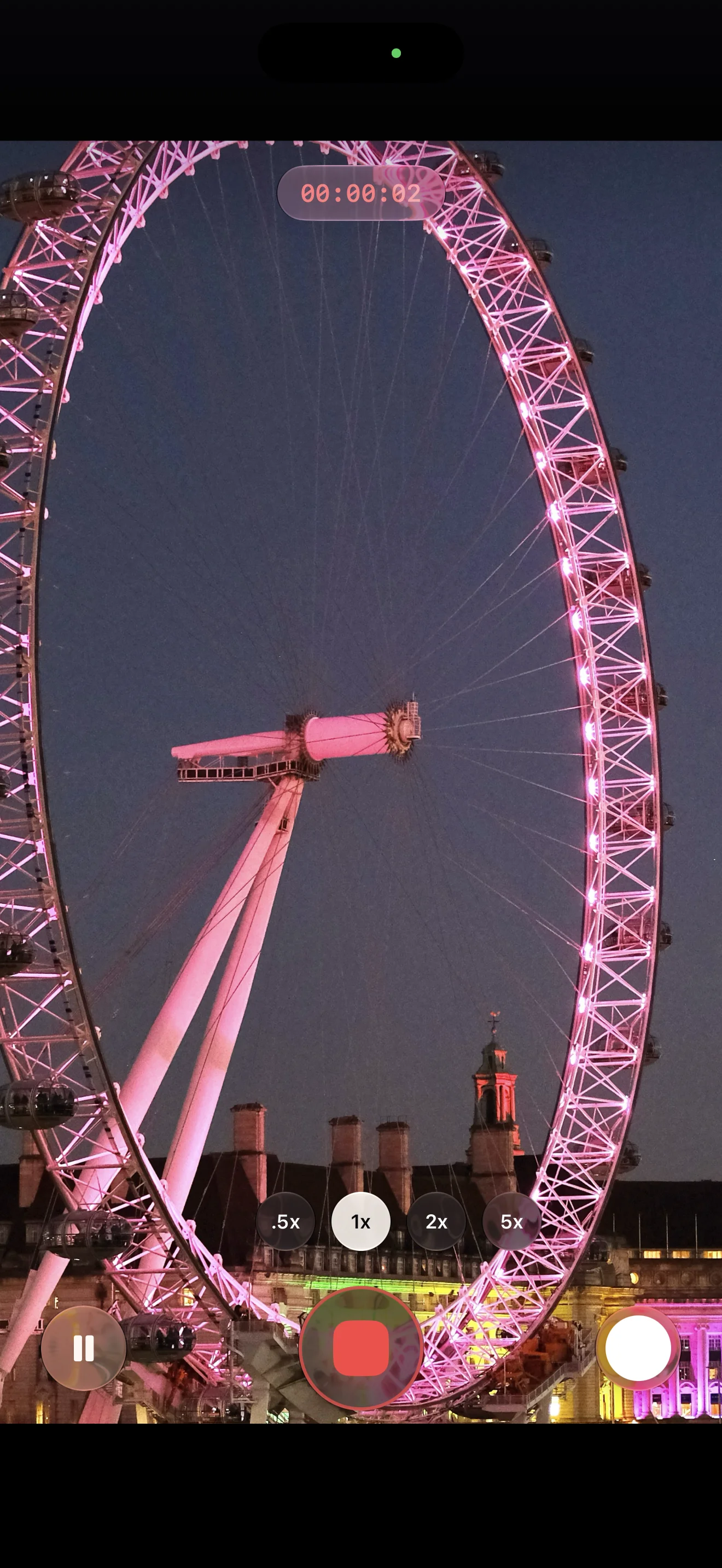
Rayista recording the illuminated London Eye, with a recording timer, lens controls, pause, and shutter buttons

60+ looks

Film, color, and effects.

Choose clean color, warm film tones, black and white, neon, or distortion. The bundled collection is available in the app without a separate download.

Browse by collection, save favorites, and arrange the looks you use most at the front of the strip.

Adjust photos and videos
in Studio.

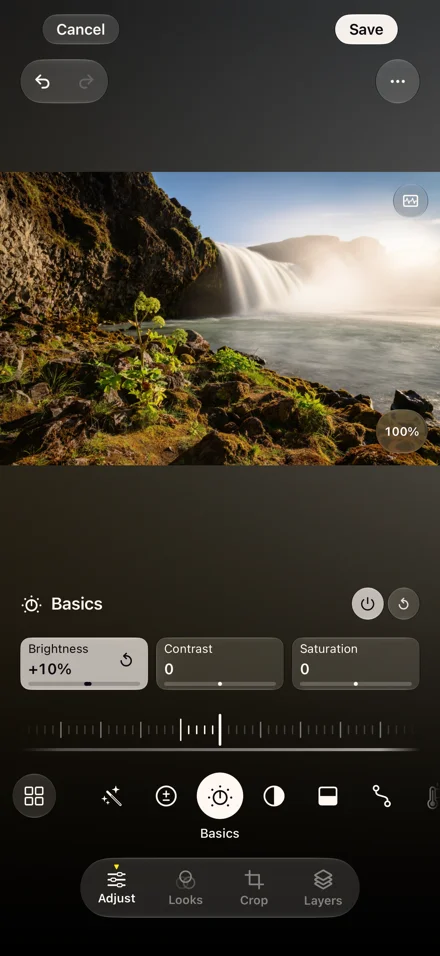
Start with a look, then adjust light, color, and texture. Layers, masks, tone curves, HSL, color grading and .cube LUTs give you more control.

Your photo library

Use the photos you already have.

Open a photo or video from your library. Apply a look, adjust its color, or use layers and masks to change part of the image. Save your adjustments to Photos with Rayista Pro.

Studio adjusting a waterfall photo, with brightness, contrast, and saturation controls

Layers and masks

Edit with layers.

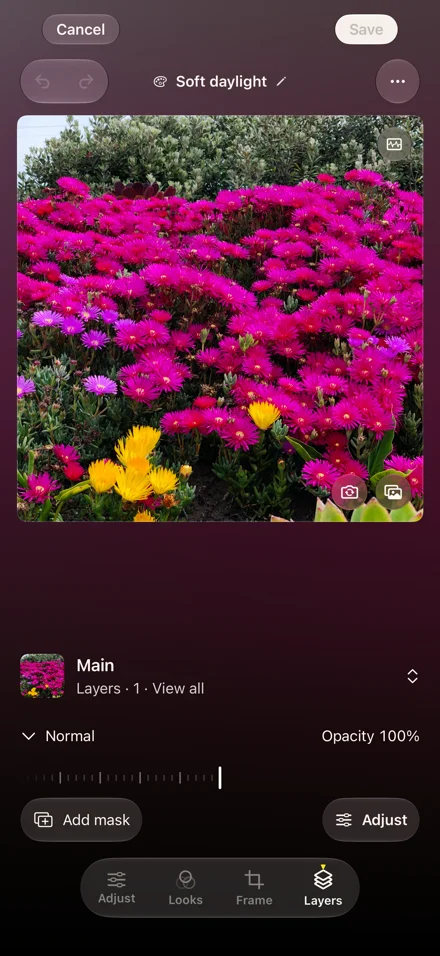
Adjust each layer's opacity and blending mode. Add a mask to apply adjustments to part of the image.

Studio's Layers tab with a flower preview, Normal blending, opacity, and Add mask controls

Unlock every look.
Save your Studio edits.

Preview every bundled look and try Studio before subscribing. Rayista Pro unlocks capture with Pro looks and saving Studio edits and custom looks.

Free

Included No account required
  • Preview the entire collection live
  • Capture with 9 free looks
  • Every camera control, format, and video setting
  • Try Studio adjustments before subscribing
  • Save captures to Photos

Rayista Pro

Monthly or yearly See your local price in the app
  • Capture with every Pro look, in photo and video
  • Save Studio edits and custom looks
  • New looks included as they arrive
  • Restore purchases with the same Apple Account
  • Manage or cancel in Apple subscription settings

Auto-renewing subscription billed by Apple. Your local price and renewal terms appear before you confirm.

Processed on your iPhone.

No Rayista account, ads, or third-party analytics. We do not receive your camera feed or photo library. Photos, optional iCloud Looks sync, and anything you choose to share follow your Apple and sharing settings.

Read the privacy policy

Scan to install

Point your iPhone camera at the code.

or

Download on the App Store